Nothing gets left because you forgot it
Agree to something and you put a task on it with a date. In the morning Nermio opens on the question of what's due today, and on the deals where nothing has happened for a fortnight.
The deals you lose, you lose to silence
Almost no deal is lost because somebody said no. They are lost because you were going to ring back in the week that was busy, and the week after that was busy too. There is no moment where anyone tells you: a deal that has stopped moving looks exactly like a deal that is moving.
A to-do list in a notes app only half helps. It doesn't know which customer it belongs to, and it doesn't know which quote has gone three weeks without a word.
One screen that opens your day for you
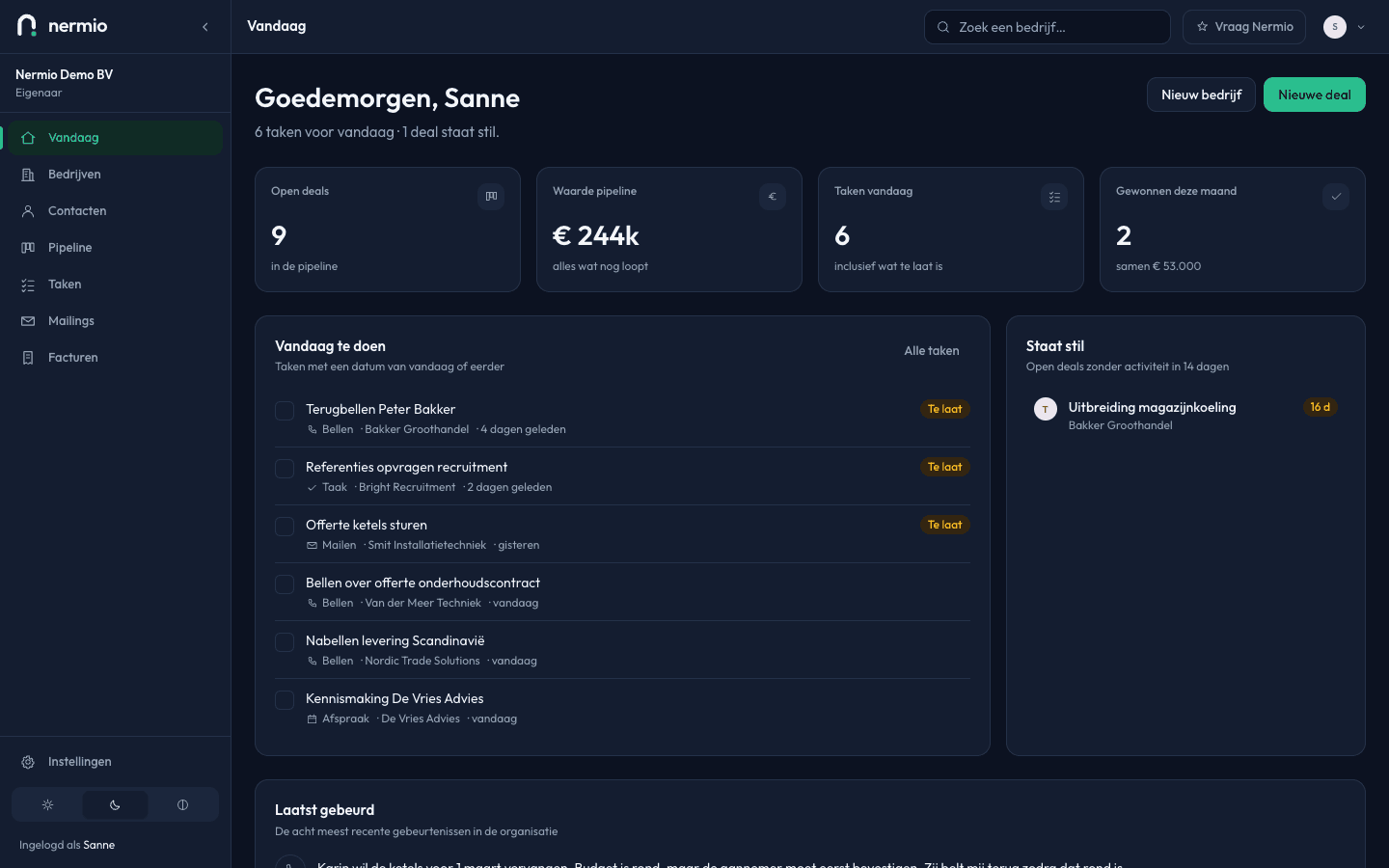
The Today screen opens with four numbers: open deals, the value still running, your tasks for today and what you've won this month. Underneath are the tasks themselves, the deals that have been quiet too long, and what happened most recently.
Tasks have a screen of their own, grouped by due date: Overdue at the top, then Today, Tomorrow, This week, Later, and last the tasks with no date. That is the order you work through them in, so there is nothing to sort.
Ticking one off is a single click in the list. You don't have to open a task to say you've done it.
How following up works here
Six groups by date
Overdue, Today, Tomorrow, This week, Later and No date. “This week” means literally before the weekend, not “within seven days”, because that last one shifts every day.
Four kinds of task
A call, an email, a meeting, or just a task. The kind sets the icon in the list, so you can pick a round of calls out at a glance.
Deals that have gone quiet
An open deal with nothing on it for a fortnight turns up on your Today screen. Not deleted, not hidden, put back on your desk.
Tick it off where you are
In the list itself, without opening the task. Tasks you've ticked off stay in the company's timeline, so the history still adds up.
Always attached to a customer
A task hangs off a company, and usually off a deal. So you don't read “call” but who you're calling and what about.
Start with your busiest week
Put in the five things you mustn't forget this week. Tomorrow morning they'll still be there.