What CRM software is, and what to look at
A CRM is a place that holds who you do business with, what you agreed, and what the next step is. Beyond that it's nothing. That sounds small, and still it goes wrong at most companies — not from a shortage of features, but because nobody keeps it up to date.
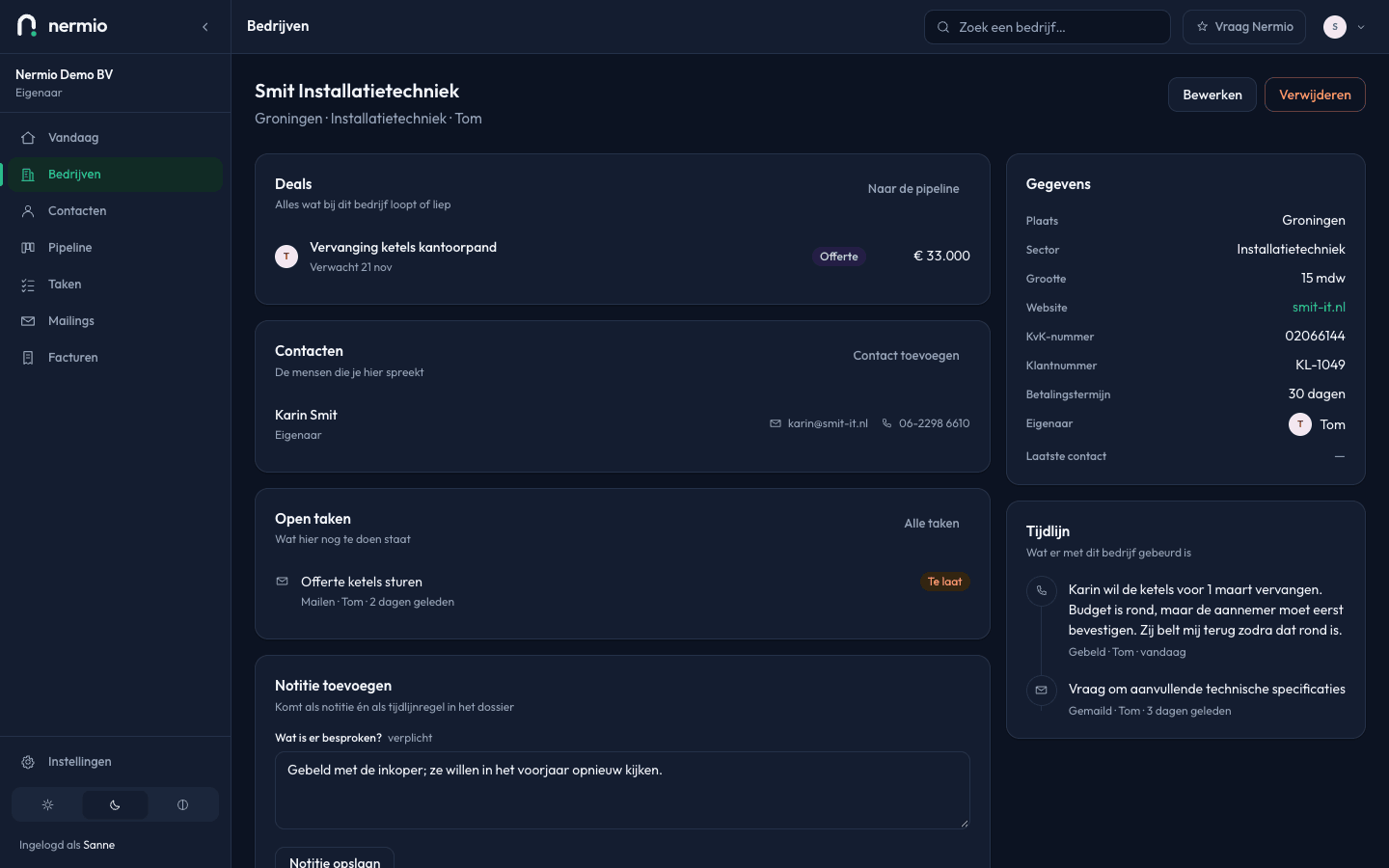
What CRM software does
Four things, and they hang together. Every product names them differently; below is what it comes down to.
One place for your relationships
Companies and the people you speak to there, with phone numbers, addresses and who handles what. Not spread across an inbox, a phone and a sheet of paper.
A view of what's open
Every enquiry and every quote you've sent is a line with a stage. You can see at a glance what's open and where it's stuck, instead of assembling it from memory.
Follow-ups with a date
Agreed to ring back in a fortnight? Then that needs a date that comes and finds you. This is the part that makes the difference, and the part people skip.
History that stays
What did that customer say last year, and who spoke to them? A CRM keeps that per company, so it becomes what the business knows instead of what one person knows.
There's a longer explanation, including when not to start, in our guide What is a CRM system? (in Dutch)
Five questions that decide it
Two feature lists side by side tell you almost nothing; both products can do everything. These five questions tell you something, because they're about what's left of it in six months.
Will anyone still be using this in three months?
This is the only question that really counts. A CRM with thirty fields per customer gets set up properly and then quietly abandoned. During a trial, don't look at what it can do; look at how much effort it takes to record one conversation.
Do you pay per person or per company?
Most products charge per user per month. With four people that's four times the price, and it means you start thinking about who gets an account: exactly the wrong decision to be making, because then half the conversations are missing.
How do you get out again?
Before you start, ask how you get your data out and in what format. Your customer list is yours. If the answer is vague, you know enough.
Can you decide who sees what?
As soon as more than two people are in it, you want a difference between looking and changing. And you want to be able to see who changed something — not out of suspicion, but because otherwise you can't reconstruct anything when a customer asks.
How much setting up does it need before it works?
Some products are only useful after a configuration project: your own fields, your own stages, your own reports. That makes sense with a sales team of twenty. With three people it's the reason it never starts.
Why the well-known products are too big for a small business
Not because they're bad. They were built for a different company than yours.
The large CRMs grew up inside organisations with a sales department: someone watches the forecast, someone distributes the leads, someone writes the monthly report. All those roles are in the software, and therefore in the screens you get to look at.
A five-person business has none of those roles. There's an owner who also sells, between jobs, and perhaps two colleagues who also speak to customers. For them the real cost isn't the licence but the upkeep: fields nobody fills in, stages that don't match your work, reports nobody opens.
That's also why “we only use ten per cent of what it can do” gets said so often. The other ninety per cent isn't sitting quietly in a corner; it's in your menu, in your forms and on your invoice.
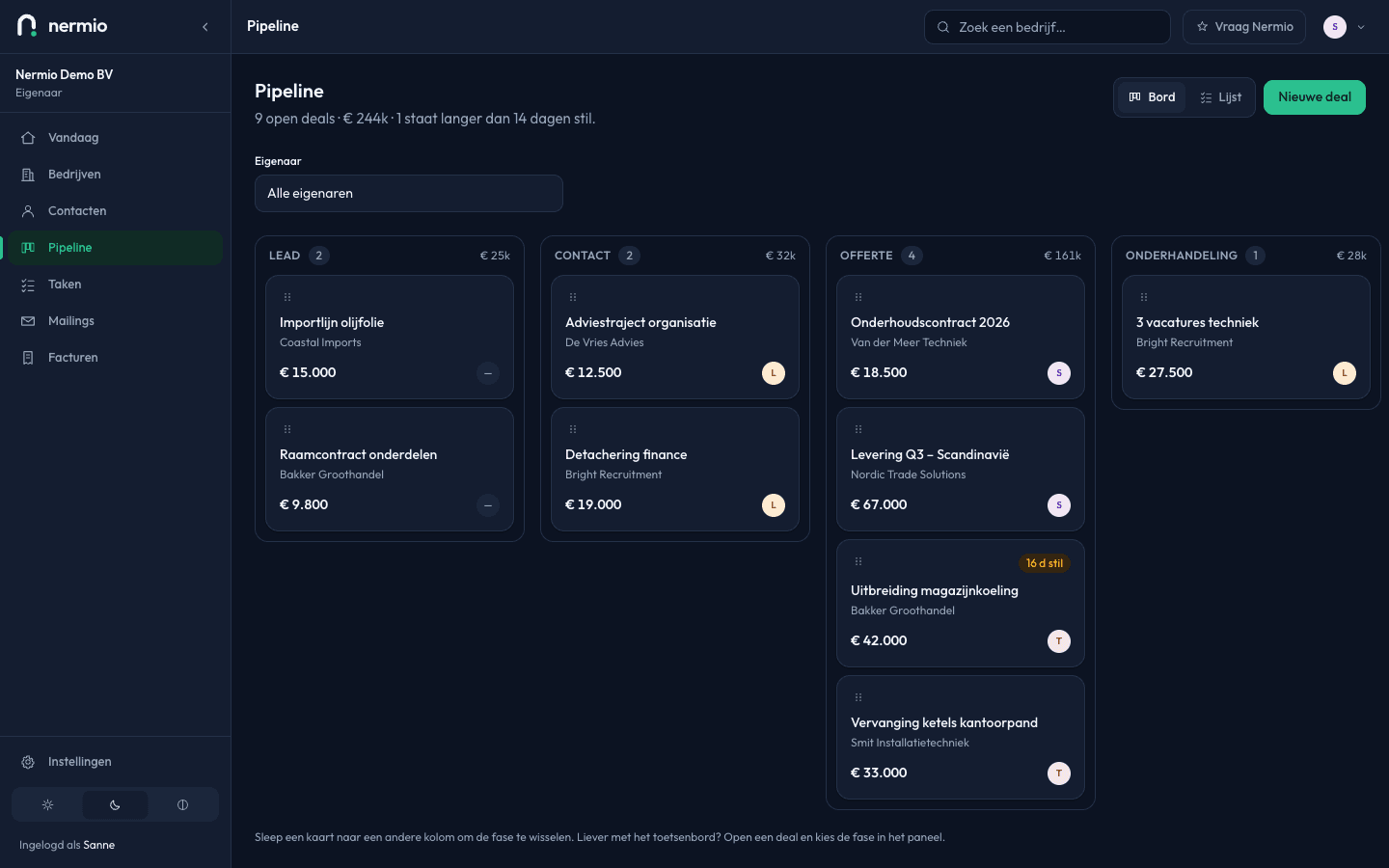
Where Nermio sits in that picture
Nermio is the small end of that spectrum, and that's a choice rather than a stage we're at. Below is exactly what you get and what you don't.
What's in it
- Companies and contacts, with a file and a timeline
- A pipeline with six stages; drag to move
- A lost deal asks you for a reason
- Tasks per day and a Today screen with the deals that have gone quiet
- Notes on every company
- A team with four roles, and several organisations
- Import your list from CSV and export everything to CSV
- Invoices to your own customers, with VAT per rate, credit notes and a PDF from your own address
- An audit log of who did what, when
What isn't in it
- Sending campaigns or newsletters
- Reports, charts and revenue forecasts
- An integration with your calendar or your phone system
- Payment links or direct debit on an invoice
- A separate app for your phone
- Setting up your own fields and stages
If you need one of those, Nermio isn't your product. That's a better outcome than finding out in two months.
Everything that is in it is explained part by part under all features. The price is one number and it's on pricing.
Questions that come up while choosing
Do I need a CRM with two people?
That doesn't depend on how many people you are, but on how many promises you have open at once. Ten live quotes that each need their own moment to chase, you won't remember. Five customers a year, you will.
What does CRM software cost, roughly?
Almost always an amount per user per month, sometimes with a free tier that's capped on numbers. So don't work with the price per person, work with your total: the number of people who speak to customers, times twelve months. Nermio charges one amount per company: €20 a month paying a year ahead, €24 a month paying monthly.
Can I move my spreadsheet across in one go?
Yes, through a CSV file. You map your own column names onto Nermio's fields and get a preview first: how many rows are new, which already exist, and which don't add up. What's already there stays; an import never overwrites.
What happens to my data if I stop?
Your data is yours, there's no year-long notice period, and you can stop monthly. Under Settings → Your data you download your companies, contacts, deals and tasks as CSV, without having to give a reason. You can do it any day your organisation is running, and for thirty days after you stop.
Is this the same as accounting or invoicing software?
No. A CRM is about the period before the job: the conversation, the quote and the follow-up. You can write and send invoices in it, with VAT per rate and credit notes, but your bookkeeping stays in whatever you use for that.
Two weeks with your own customers in it
Put ten companies in and see whether you open it in the morning. That's the only test that predicts anything. No credit card needed.