Who to ring today is already waiting for you
Nermio remembers what you agreed with each customer and tells you every morning who to ring. A simple CRM for sole traders and small businesses with no sales department.
€20 a month for the whole company. You don't need a credit card.
Good morning, Sanne
4 tasks for today
Due today
- Ring Rob Dekker backDekker Bouw & RenovatieNew
- Ring Peter Bakker backBakker Groothandel09:00
- Send the boiler quoteSmit InstallatietechniekOverdue
- Chase the Q3 deliveryNordic Trade Solutionstoday
- First meeting De VriesDe Vries Advies14:30
Gone quiet
Open deals with no activity for 14 days.
Losing a customer usually happens quietly
Nobody forgets a customer on purpose. It happens between two jobs.
Bakker Groothandel
€ 4,850
Quote sent
21 days, no reply
The quote for Bakker Groothandel has been out for three weeks. You thought your colleague was ringing them.
Note on Smit Installatie
What did you agree?
You ring Smit Installatie back and can't remember what you promised last time.
Phone number
Meeting
Price list
The phone number is in your email, the meeting is in your diary, and the price is in a spreadsheet.
In use this afternoon
There is nothing to configure and no consultant involved.
Put your customers in. Import your spreadsheet, or start with one company.
Write down what you agreed. After a call you type three lines. They stay on the company's file.
Open your day in the morning. You see who to ring and which deal has gone quiet.
What your day looks like
08:15
You open Nermio and see what is due. Bakker Groothandel is at the top: they have been waiting sixteen days for your quote.
nermio.com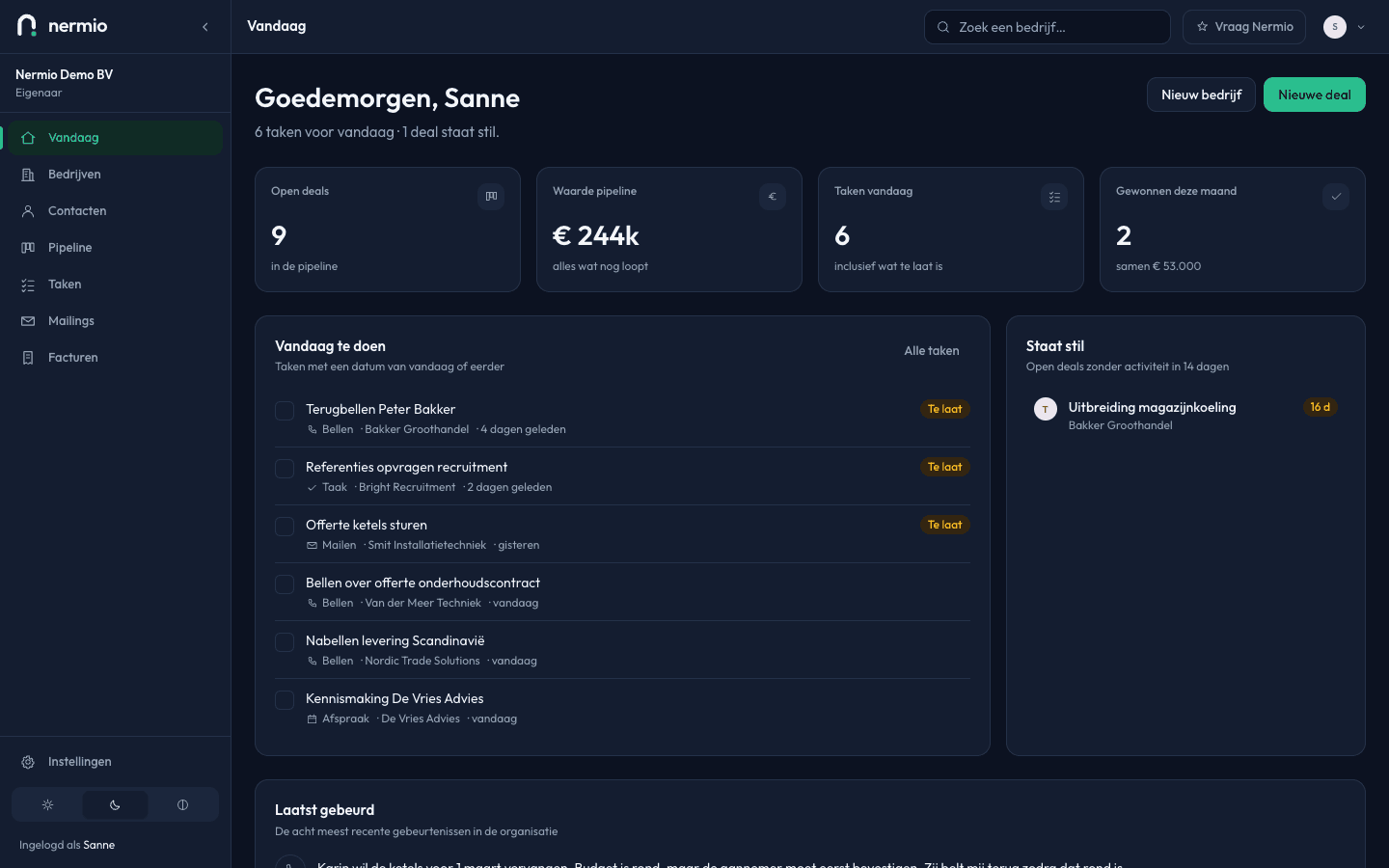
The Today screen: Bakker at the top of your tasks, and the same deal in the block that has gone quiet. 11:40
After the call with Smit Installatie you type three lines. They sit on the company file with the date and your name. If a colleague rings next month, they know exactly what was agreed.
nermio.com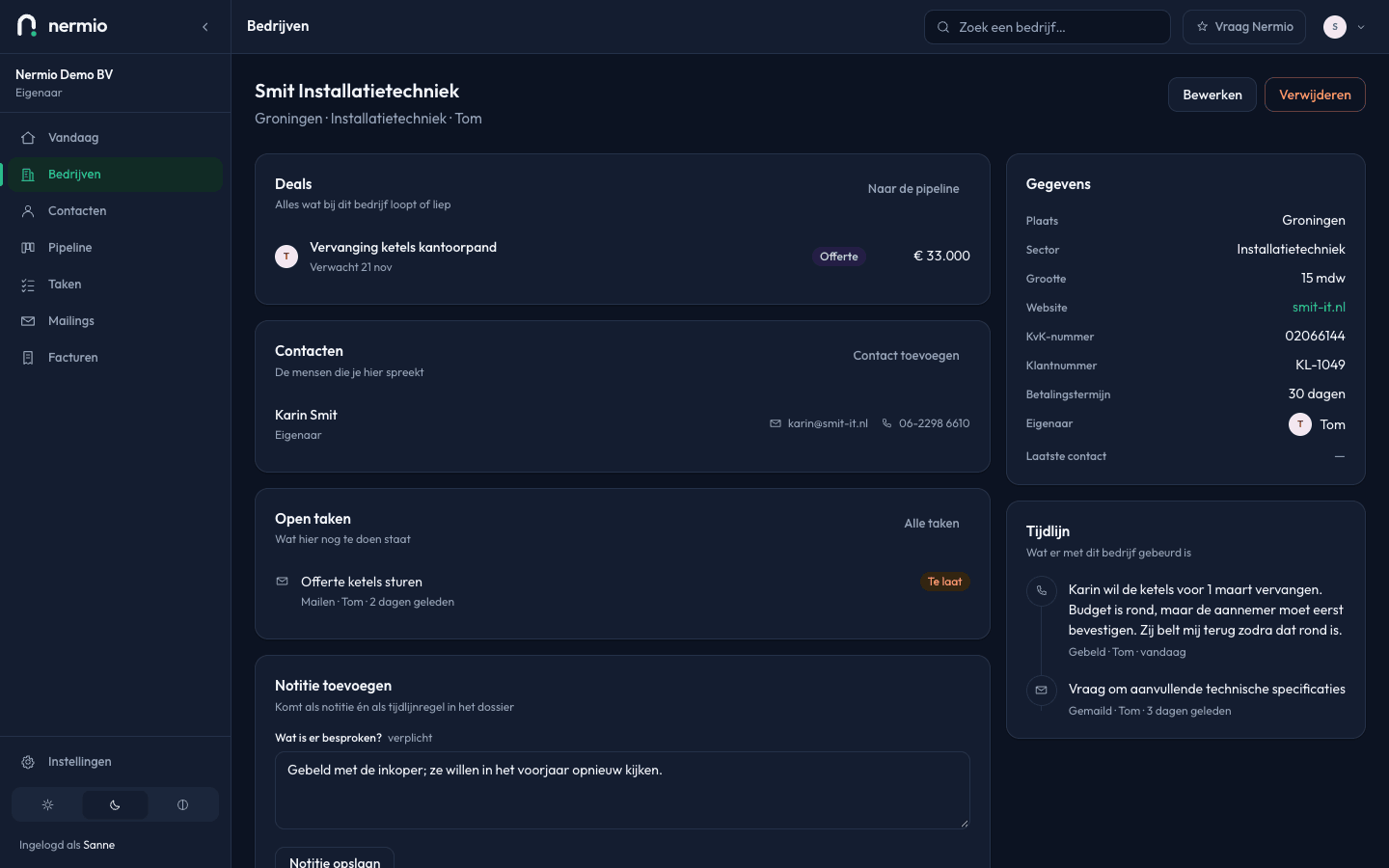
The company file for Smit Installatietechniek, with the note just added at the top of the timeline. 16:30
You drag the deal to Won. If one falls through, you write down why. After a few months you can see where you keep losing them.
nermio.com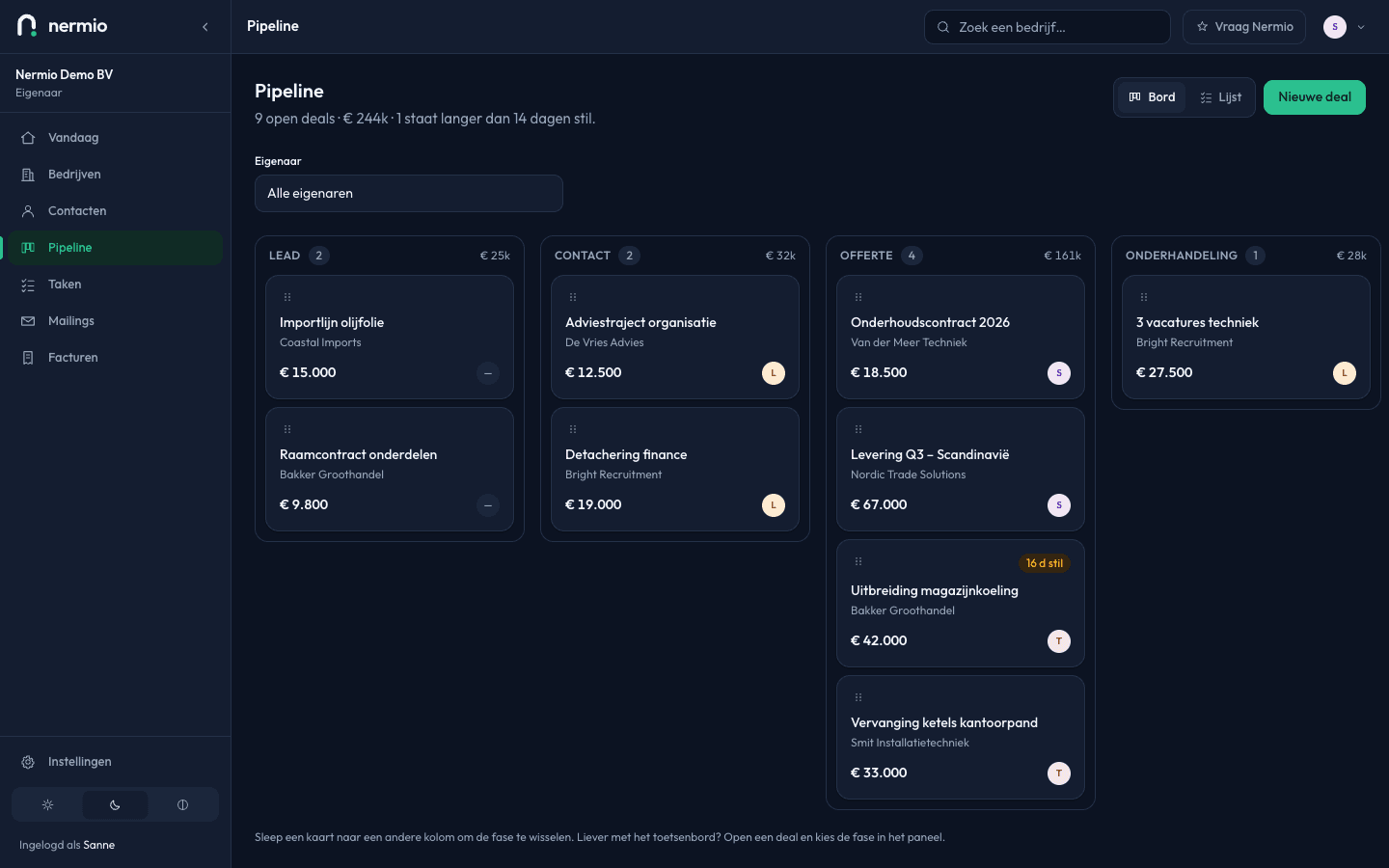
The pipeline as a board: Lead, Contact, Quote and Negotiation side by side, with the number of deals and their value above each column.
Drag a deal to the next stage
Nermio has six stages, from lead to won. A lost deal asks you for a reason, so there is something to learn from it.
Your pipeline
Drag a card to the next column
Contact1
Maintenance contract
Smit Installatie
€ 18,500
Quote2
Warehouse extension
Bakker Groothandel
€ 42,000
Advisory project
De Vries Advies
€ 12,500
Won0
This is a taster. Nermio has six stages, and a lost deal asks you for a reason.
What's in it, and what we've left out
Tasks and the Today screen
What's due, and which deal has gone quiet.
Companies and contacts on one file
A timeline per company
A pipeline with six stages
Colleagues with their own rights
Import from Excel, export as CSV
Invoices with VAT per rate, credit notes and a PDF from your own address
Left out
- Your bookkeeping
- Detailed reporting
Not yet
- Sending campaigns · phase 3
You almost certainly have something for the left-hand column already. Nermio does the part that falls between them.
Built for businesses where the owner still does the work
No sales department, no setup project. Find your own trade below.
Trades and construction
You chase your quotes between two jobs, including from the van.
Professional services
Every colleague can see what was discussed with a client, even if they weren't there.
Accountants
You keep track of which client you speak to when, outside the busy filing weeks too.
Sole traders
What's now in your head and your inbox sits in one place.
Your customer data stays yours
Where it sits, what's covered legally, and how you take it with you.
Stored in the EU. Your data sits on servers in Frankfurt (eu-central-1). Each company is strictly separated from the others.
GDPR covered. A data processing agreement comes with your account.
Take it with you whenever you want. You export your companies, contacts, deals and tasks as CSV, any day your account is running, and for thirty days after you stop.
You decide who sees what. From full access to read-only. Every change is on the timeline with a name and a date.

Nermio is made by Rami Ajjan, in the Netherlands. It's a small company with no investors. If you have a question, or something doesn't work the way you expected, email rami@nermio.com. You'll get an answer from the person who built it.
€20a month, for the whole company
You pay per company. Working alone, it's €20. Working with eight colleagues, it's still €20.
Paying yearly costs €240. Paying monthly costs €24 a month. We bill in euros. You cancel it yourself.
AI on your own key
Connect your own account with OpenAI, Anthropic, Mistral or Gemini. Nermio will then summarise a customer file, suggest a next step, or draft an email. You read it and approve it. You pay your provider directly for what you use, and with no key connected the buttons aren't there.
Frequently asked questions
What happens after the trial?
After 14 days we ask whether you want to stay. Say yes and you carry on working. Do nothing and your account stops: your data stays and you can't change anything. You can still export for thirty days after that, so doing nothing costs you nothing.
Do I have to enter a credit card?
No. You create an account and start straight away. You only enter payment details if you decide to stay.
Can I use my existing spreadsheet?
Yes. You upload the file and say which column is what. Nermio warns you if a company or contact is already in there.
Where is my data?
On servers in Frankfurt (eu-central-1). Each company is strictly separated from the others, so another account can never reach your customers.
Can I take my data with me?
Yes, whenever you want. You export your companies, contacts and deals as CSV, including while you're staying.
Can I add colleagues later?
Yes, as many as you like, and the price doesn't change. For each colleague you decide what they can see and do.
What about AI and privacy?
AI is off by default. Only once you connect a key of your own can Nermio summarise or draft anything, and only when you ask it to. Only the data needed for that one action goes to your provider.
From the guides
Practical pieces on following customers up, what a CRM costs, and getting your sales in order.
Choosing and comparing
Spreadsheet or CRM: when is it time to move?
Four signs your spreadsheet has got too small, and three situations where you should stay exactly where you are.
About 6 minutes to read

Choosing and comparing
What does a CRM really cost?
The subscription is rarely the biggest line. Four costs that only show up later, and how to work them out before you sign.
About 6 minutes to read
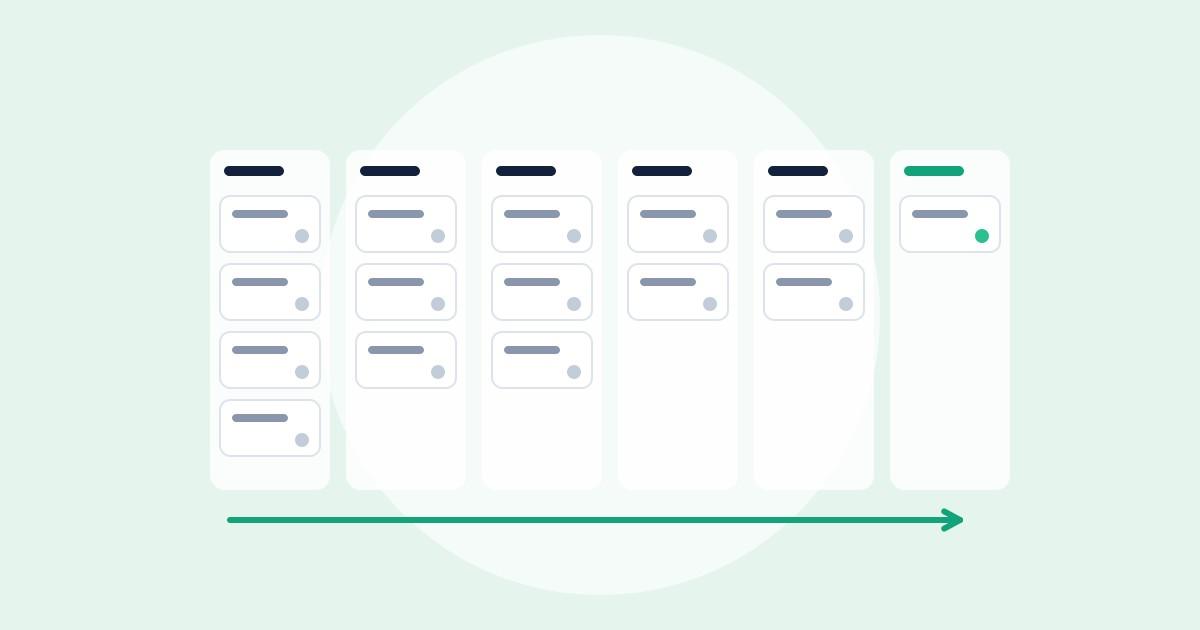
Sales process
Setting up a sales pipeline that holds up
Stages that describe the customer's steps rather than yours, with a clear point at which a deal is allowed to move on.
About 7 minutes to read
Try it with your own customers
Put three companies in today. One morning with it tells you more than this page can. You don't need a credit card and you're not tied to anything.